


Bettear

Audio accessibility made simple

Wavefront Centre is helping venues across Canada make live experiences more accessible with Bettear, an assistive listening solution that streams high-quality audio directly to a visitor’s own smartphone and compatible Bluetooth hearing devices.

No additional receivers or equipment are required. Audience members simply download the free Bettear app, connect their preferred listening device, and enjoy clearer sound during performances, presentations, meetings, and community events.

Together, Wavefront Centre and Bettear are helping organizations create more inclusive spaces where everyone can participate with confidence.

Infographic with a teal background, titled "This venue provides audio accessibility through Bettear." Step-by-step guide with five icons: QR code, Bluetooth, search button, Wi-Fi join prompt, and volume controls. Instructions include downloading the Bettear app, connecting to Bluetooth, tapping to search, joining Wi-Fi, and adjusting volume. Logos for Wavefront Centre for Communication Accessibility are present.

How it works

Step 1: Download the Bettear app

Scan the QR code or download the free Bettear app to your smartphone before or when you arrive at the venue.

Step 2: Connect with Bluetooth

Connect your Bluetooth-enabled hearing aids, cochlear implants, headphones, or earphones to your smartphone.

Step 3: Tap to Search

Open the Bettear app and tap Tap to Search to find the venue’s audio stream.

Step 4: Join the network

When prompted, select Join to connect to the venue’s Bettear wi-fi network, then mute your device’s microphone.

Step 5: Adjust your listening experience

Use the app controls to adjust the volume or pause the audio as needed. Once connected, you’ll receive the venue’s audio streamed directly to your device, making it easier to hear every word and enjoy a more accessible experience.

Bettear adapts to how you hear best, putting you in control of your listening experience.

Designed around the way you listen

Bettear helps make live events, performances, presentations, and public spaces more accessible by streaming enhanced audio directly to your smartphone and compatible listening devices.

Why people choose Bettear

  • Use your own devices – Stream audio directly to compatible Bluetooth hearing aids, cochlear implants, headphones, or earphones.
  • No additional equipment – Simply download the free Bettear app and connect to the venue’s audio stream.
  • Clear, real-time sound – Enjoy high-quality audio with minimal delay.
  • Personalize your listening – Adjust the volume and audio settings to suit your hearing preferences.
  • Works in a variety of venues – From theatres and museums to conferences, places of worship, and community events.

Whether you’re attending a live performance, presentation, guided tour, or community event, Bettear helps you hear more clearly, participate more fully, and enjoy the experience with confidence.

In association with Bettear

Contact us for more information. Let’s make every live event accessible to all. 

devices@wavefrontcentre.ca

Read more on Wavefront Centre’s blog

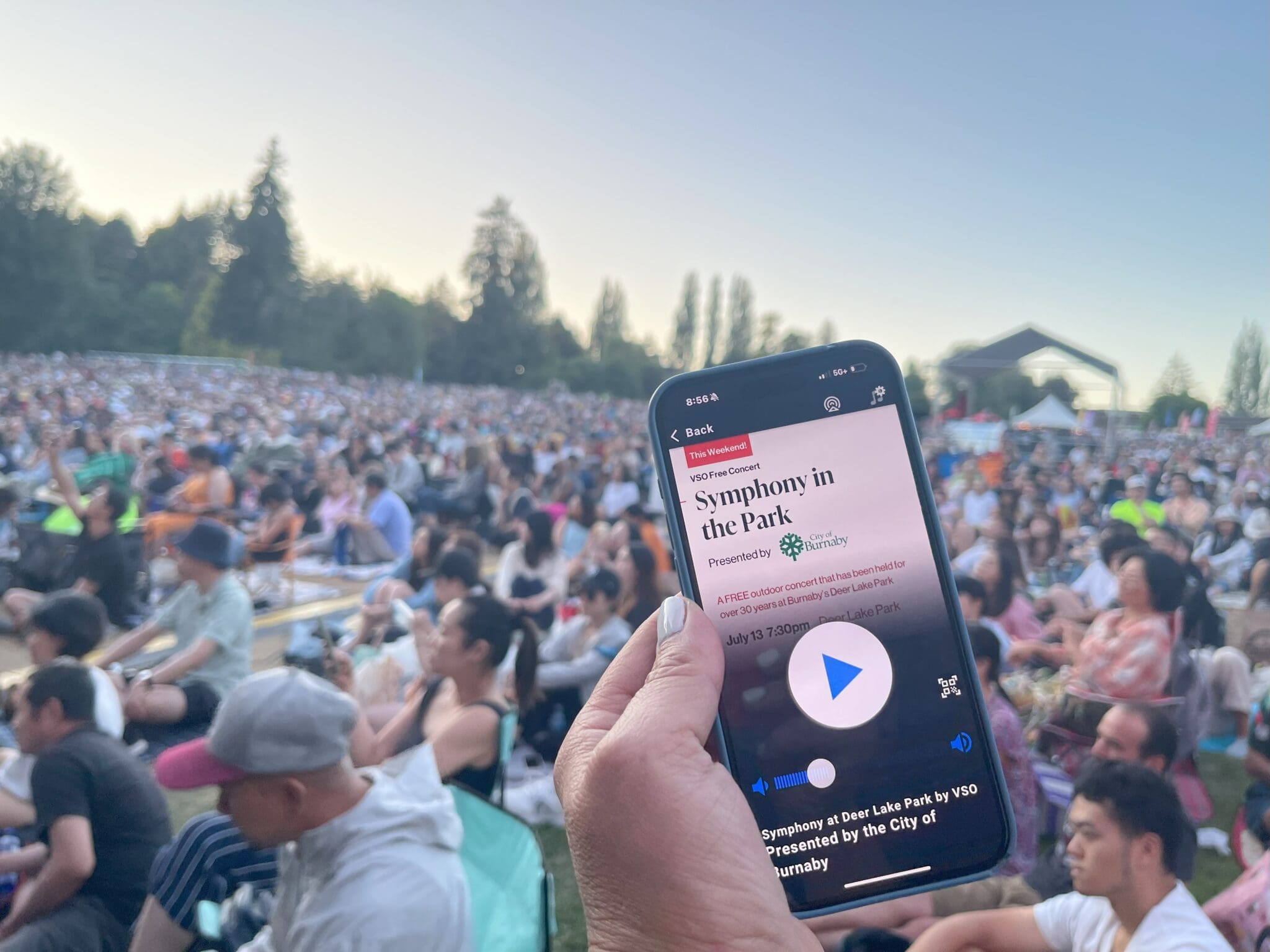
A large crowd sits on the grass at an outdoor concert at sunset, surrounded by trees and a clear sky. In the foreground, a person holds up a smartphone displaying the event listing for “Symphony in the Park,” a free concert by the Vancouver Symphony Orchestra at Burnaby’s Deer Lake Park. The phone screen shows a play button, indicating audio streaming or accessibility features. The scene captures the integration of technology to enhance accessibility at a live music event.

Wavefront Centre expands access to Audio Accessibility solutions

At Wavefront Centre, we are committed to breaking down barriers to accessibility and ensuring that...